PDF24 has a feature called PDF OCR, which allows for the conversion of images in a PDF to searchable & copyable text
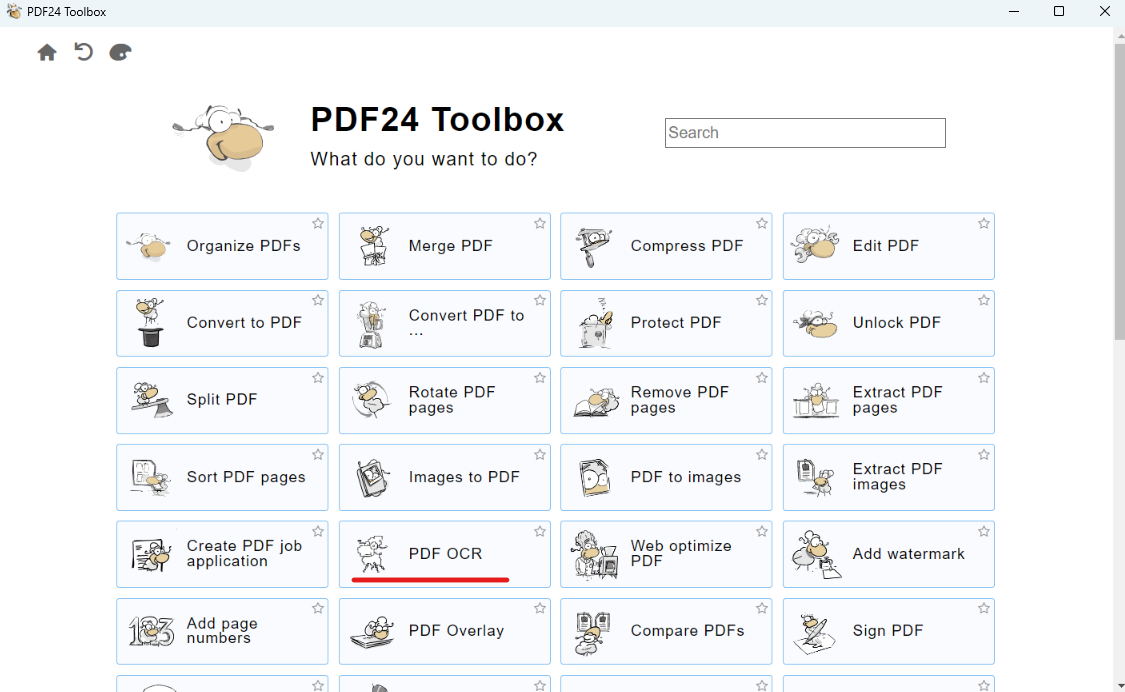
Open PDF24 and find the 'PDF OCR' option
Change the settings on the right as below
Language - English
Profile - Best Quality
Save in same folder - Tick this option
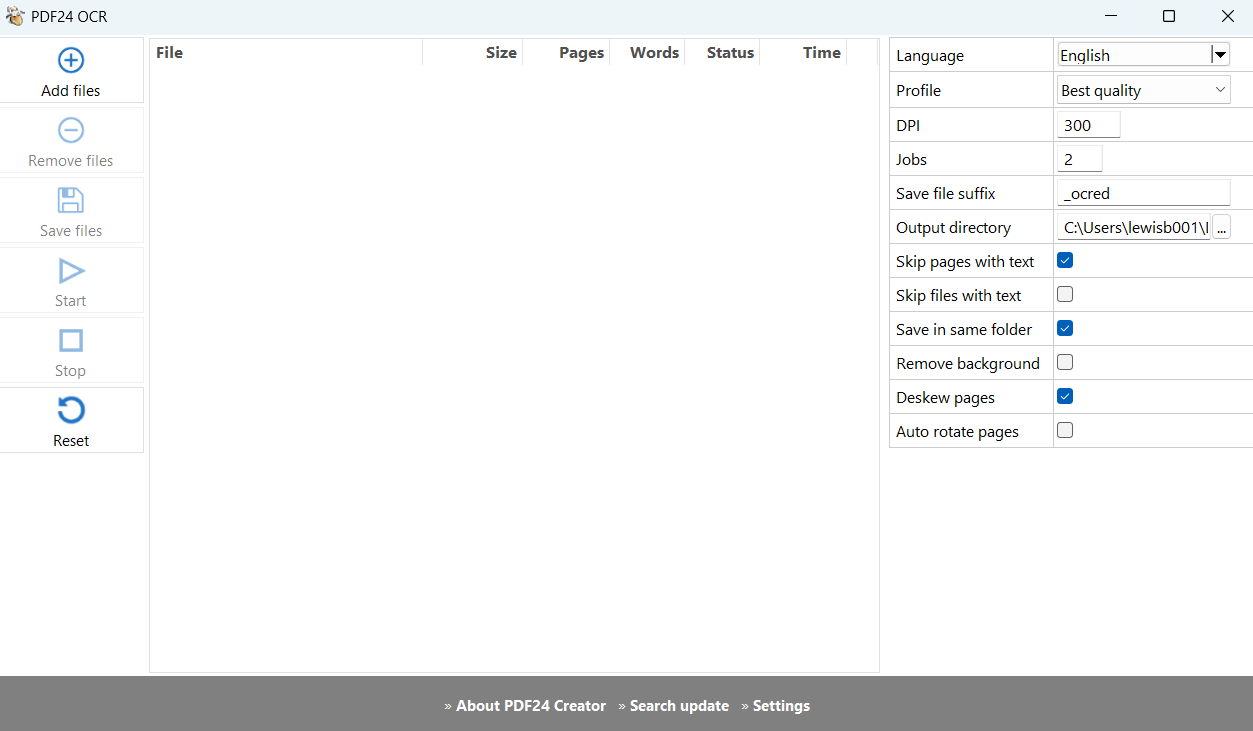
Click Add file and then find the PDF that you need to alter. Once selected, click the Start option. Let the program run, and in the same folder you should see a duplicate file with the same name + '_ocred' which contains the searchable/copyable text. If you'd like to changes what the new file export is called, change the 'Save file suffix' option

Settings persist on new sessions of PDF24, so you'd not need to change the settings each time you open the app
Was this article helpful?
That’s Great!
Thank you for your feedback
Sorry! We couldn't be helpful
Thank you for your feedback
Feedback sent
We appreciate your effort and will try to fix the article