This guide is for the members of staff who make use of Multinetwork SIMs in their work mobiles in addition to their normal work SIM
To view which SIM card your mobile is currently using for data, please browse to the below location
Settings --> Connections --> SIM manager --> Scroll down to 'Preferred SIMs'
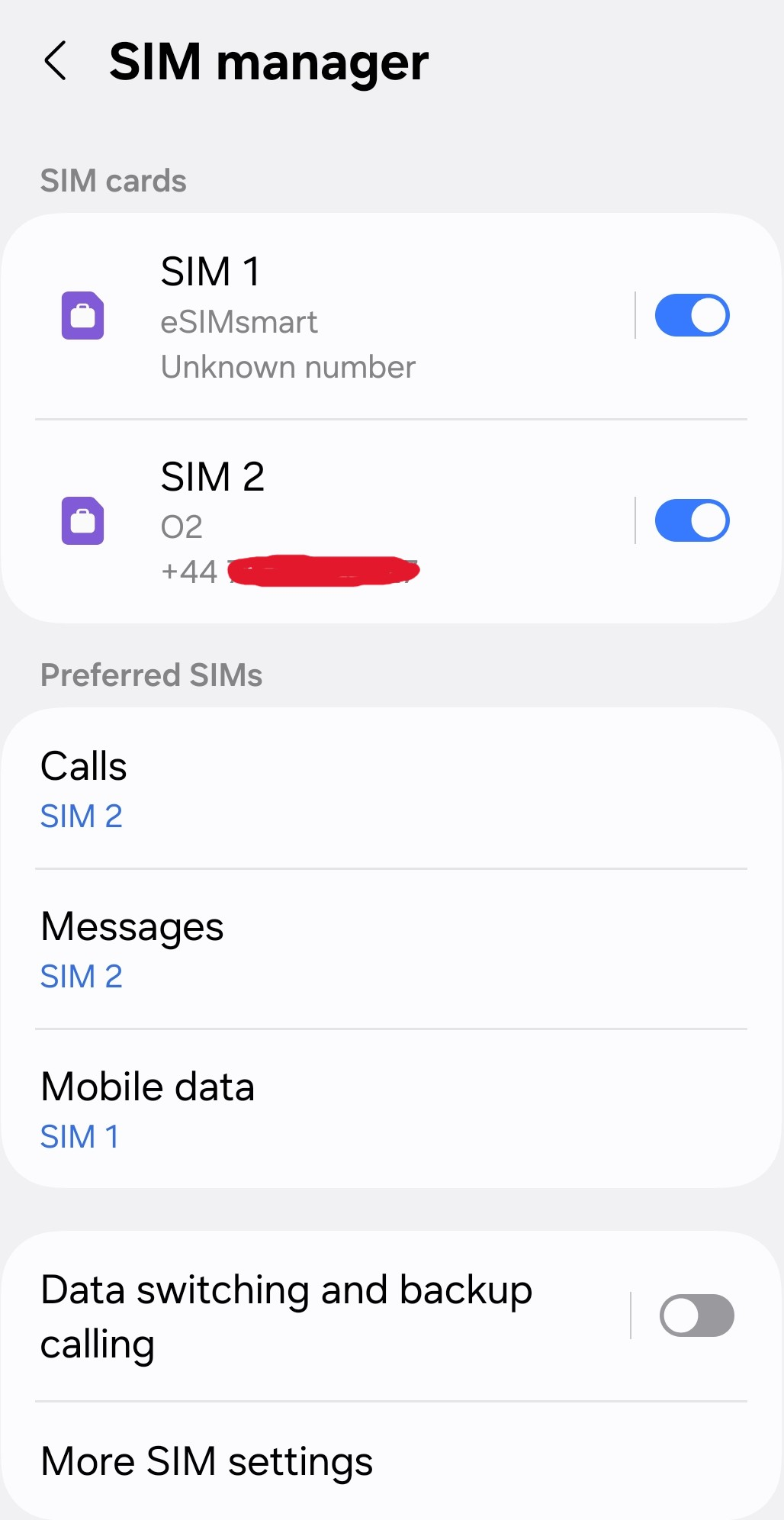
In the above screenshot, we can see that the mobile is using 'SIM 1' for Mobile Data but 'SIM 2' for Calls & Messages.
The number of the SIM card will vary by mobile, but to switch the Mobile Data simply tap on this and then select the other SIM card and the press Save if prompted. This will result in the mobile going back to using the o2 SIM card for everything
If you want to switch back to using the Multinetwork SIM for data again, just press on Mobile Data again and go back to using the other SIM
Was this article helpful?
That’s Great!
Thank you for your feedback
Sorry! We couldn't be helpful
Thank you for your feedback
Feedback sent
We appreciate your effort and will try to fix the article