If you have forgotten your fob or unable to log on to a printer, your print jobs can be released form the PaperCut user portal by following the below...
1. Go to https://shazprint02:9192/user and sign in with your email address and laptop password. You may be prompted to sign in to your Microsoft account (email address and password)
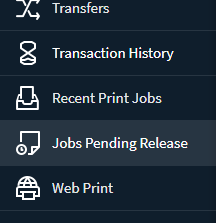
2. once signed in, click on Jobs Pending Release on the left.
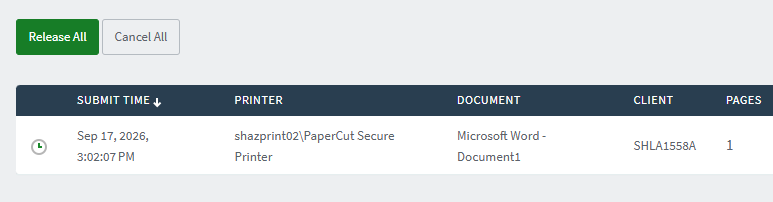
3. click on release all or release next to a single job
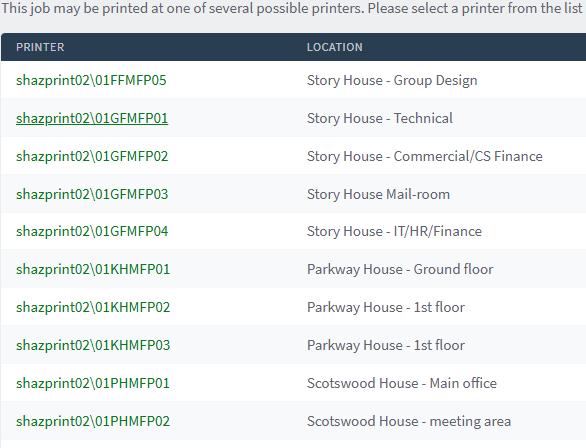
4. Select the printer you want it to be released on. Take note of the location on the right.
5. That's it, go collect your print jobs.
Was this article helpful?
That’s Great!
Thank you for your feedback
Sorry! We couldn't be helpful
Thank you for your feedback
Feedback sent
We appreciate your effort and will try to fix the article